SAP Business Data Cloud vs. Traditional Enterprise Data Warehouses

For years, the enterprise data warehouse has been the backbone of corporate reporting. It collects information from finance, sales, supply chain, HR, and other systems, then organizes it for dashboards and analysis. This model remains dependable, especially where reporting needs are stable and governance is tightly controlled. However, it was designed for a time when data moved more slowly and most analysis relied on structured records.

Today’s data landscape is different. Businesses work with cloud applications, external platforms, real-time events, documents, machine data, and AI models. Traditional warehouses can support some of these needs, but doing so often requires more extraction pipelines, duplicated datasets, specialist teams, and long development cycles. The warehouse may still produce accurate reports, yet the business can struggle to access fresh, context-rich data quickly.

SAP Business Data Cloud takes a broader approach. SAP describes it as a fully managed SaaS solution that unifies and governs SAP data while connecting it with third-party data. It brings together SAP Datasphere, SAP Analytics Cloud, SAP Business Warehouse, intelligent applications, and SAP Databricks. Instead of treating data only as records that must be loaded into a central repository, it makes governed, business-ready data available for analytics, planning, data science, and AI.

Preserving Business Context

One major difference is business context. Traditional warehouses often require technical teams to recreate definitions such as revenue, customer, supplier, or inventory across multiple data models. During extraction and transformation, useful SAP semantics can be difficult to preserve.

SAP Business Data Cloud is designed to retain that meaning. Teams can work with trusted data products instead of repeatedly rebuilding the same business logic. This can improve consistency across reports, analytics projects, planning processes, and AI applications.

Reducing Unnecessary Data Movement

Data movement is another key distinction. Conventional warehouse architectures often copy data from operational systems into staging areas, transformation layers, and reporting stores. Every copy adds storage, maintenance, reconciliation, and security work.

SAP Business Data Cloud supports zero-copy data sharing in relevant scenarios, including bidirectional sharing between SAP environments and SAP Databricks. This can reduce duplication and make governed data available for advanced analytics more efficiently.

Modernization Does Not Mean Starting Again

That does not mean every traditional warehouse should be switched off. Many organizations have years of investment in SAP BW, established reports, tested controls, and experienced teams. A forced replacement could create more risk than value.

SAP’s approach provides a modernization path that can preserve existing BW investments while gradually making data available as cloud-ready data products. Organizations can modernize at a manageable pace rather than replacing everything in one large project.

The practical choice is not simply “old versus new.” A traditional enterprise data warehouse remains useful for structured reporting, historical analysis, and tightly managed workloads. SAP Business Data Cloud is better suited to organizations that need connected planning, cross-platform access, reusable data products, advanced analytics, and an AI-ready foundation.

How Infonikka Can Help

Infonikka helps organizations assess their data landscape, modernize SAP BW environments, integrate SAP and non-SAP sources, strengthen data governance, and build analytics roadmaps tied to business outcomes. From strategy and architecture to implementation, optimization, and ongoing support, our SAP specialists can help you adopt SAP Business Data Cloud at a pace that protects existing investments and reduces disruption. Explore Infonikka’s SAP consulting services to learn more.


Connecting Customer Experience with Enterprise Operations: Salesforce and SAP Integration

Customers do not see departments, applications, or internal processes. They see one company. When a sales representative promises a delivery date, a customer expects the warehouse, finance team, service department, and logistics provider to work together to meet that promise.

This is where Salesforce and SAP integration becomes important.

Salesforce helps businesses manage customer relationships across sales, marketing, commerce, and service. SAP supports the operational side of the organization, including finance, inventory, procurement, manufacturing, order processing, and supply chain management. Connecting these platforms creates a more complete flow of information between customer-facing teams and enterprise operations.

Eliminating the Gap Between Sales and Operations

Without integration, sales teams may not have access to current inventory levels, customer credit status, production schedules, or shipping information. They may need to contact multiple departments before responding to a customer.

At the same time, operations teams may receive incomplete or delayed information about new orders, contract changes, customer expectations, or sales forecasts.

Salesforce SAP integration reduces these gaps by allowing relevant information to move between the two systems. A sales representative can view product availability, pricing, order history, and delivery status directly within Salesforce. Meanwhile, SAP can receive confirmed customer, quotation, and order details without repeated manual data entry.

The result is faster communication and fewer avoidable errors.

Creating a Consistent Customer Experience

A connected Salesforce and SAP environment supports a more reliable customer experience from the first conversation through delivery and ongoing service.

For example, once an opportunity is converted into an order in Salesforce, the information can be transferred to SAP for order processing, inventory allocation, invoicing, and fulfillment. Shipment updates can then be sent back to Salesforce, giving customer-facing teams a clear view of progress.

If a customer contacts the service team, the agent can see previous orders, product information, delivery records, warranties, and open issues in one place. The customer does not have to repeat the same information to different departments.

This visibility also helps teams respond more confidently when something changes. If an item is delayed or unavailable, sales and service teams can communicate the issue early rather than waiting for a complaint.

Better Data for Better Decisions

Integration also improves reporting and planning. Salesforce provides insights into opportunities, customer engagement, pipeline activity, and demand. SAP provides financial, inventory, production, and fulfillment data.

When these insights are connected, business leaders can compare sales forecasts with operational capacity. They can identify which products are generating demand, which orders are affecting margins, and where delivery delays may influence customer satisfaction.

This creates a stronger foundation for revenue forecasting, supply chain planning, and customer retention.

Building the Right Integration Approach

Successful Salesforce SAP integration requires more than connecting two applications. Businesses must define which data should be shared, which platform owns each record, how frequently information should be updated, and how errors will be handled.

Customer records, product data, prices, quotations, orders, invoices, payments, and delivery updates are common integration areas. However, the exact design should reflect the organization’s processes and business priorities.

When Salesforce and SAP work together, customer experience becomes closely connected to operational performance. Sales teams make promises based on reliable information, operations teams receive accurate demand signals, and customers receive a more consistent experience across every stage of the relationship.

How Infonikka Can Help

Infonikka helps businesses connect Salesforce with SAP to create smoother customer, sales, order, and revenue processes. Our team supports integration planning, Salesforce implementation, workflow customization, data synchronization, and ongoing platform support. Learn more about our Salesforce consulting and implementation services.

What Is SAP BTP? A Business Leader’s Guide

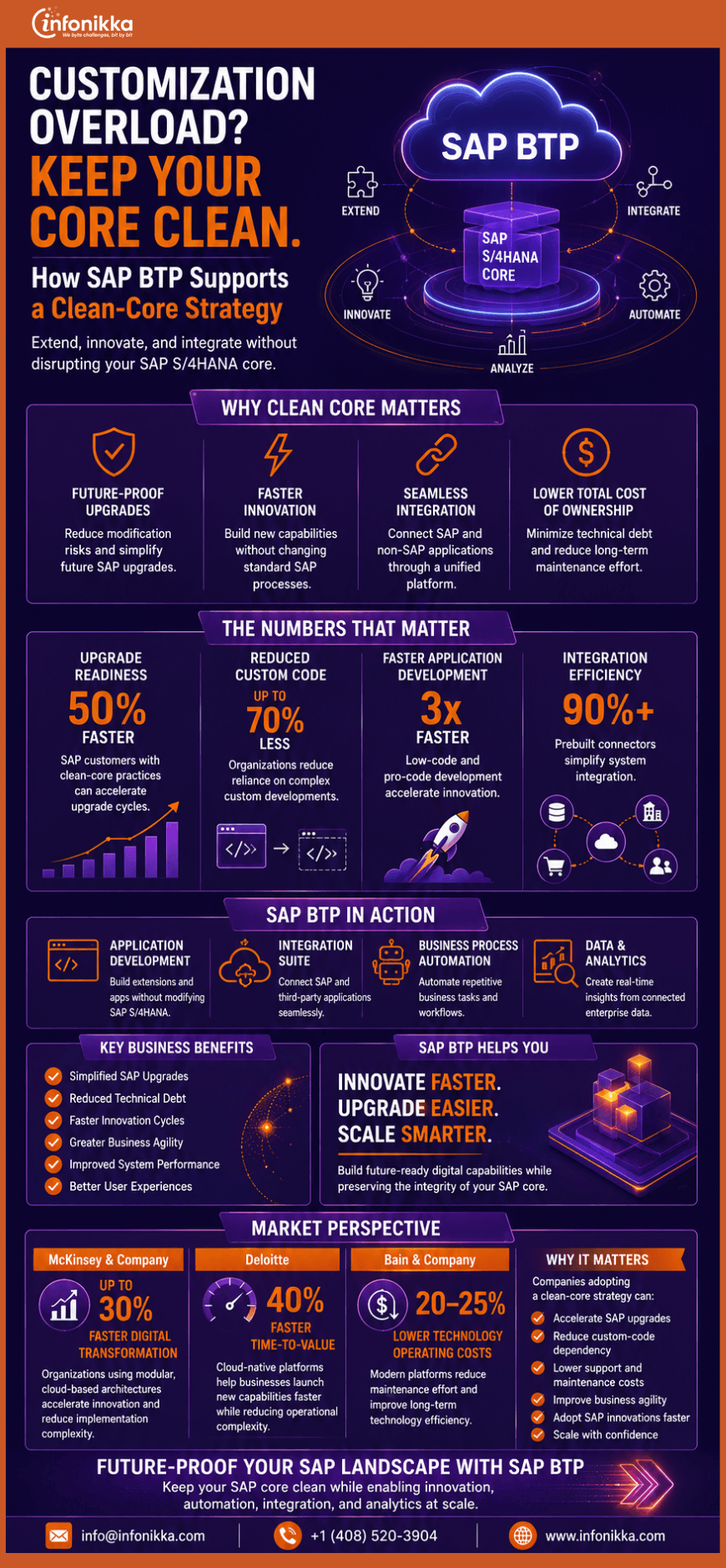
For many business leaders, SAP Business Technology Platform sounds like another technical layer in an already complex technology landscape. In practical terms, SAP BTP is a cloud-based platform that helps organizations connect systems, extend SAP applications, automate processes, build new solutions, and use data and artificial intelligence more effectively.

The value of SAP BTP becomes clearer when viewed through a familiar business problem. A company may run SAP S/4HANA for finance, SAP SuccessFactors for HR, Salesforce for customer management, and several industry-specific applications. These systems contain valuable information, but they do not always work together smoothly. Employees may still transfer data through spreadsheets, repeat tasks in different applications, or wait for IT teams to make relatively small process changes.

SAP BTP provides a common environment for addressing these gaps. It is designed to integrate, automate, extend, and build business applications and processes across SAP and third-party systems. SAP now positions SAP BTP capabilities as a core part of the SAP Business AI Platform.

Connecting Disconnected Business Systems

One of the platform’s most important capabilities is integration. SAP Integration Suite can connect cloud applications, on-premises software, APIs, data sources, business partners, and event-based systems.

For a business leader, this can mean fewer disconnected workflows and a more consistent flow of information between departments. Finance, procurement, HR, sales, and supply chain teams can work with information that moves more efficiently across the organization.

Building and Automating Processes

SAP BTP also supports application development and process automation. Organizations can use SAP Build and professional development tools to create applications, improve employee workspaces, and automate repetitive approvals or administrative tasks.

This is useful when a standard SAP application covers most business requirements, but the organization still needs a specific workflow, interface, or industry feature. Business users and developers can work together to improve processes without building every solution from the ground up.

Extending SAP Without Disrupting the Core

Companies often customize their ERP systems heavily to meet immediate requirements. Over time, those changes can make upgrades slower, more expensive, and more difficult.

SAP BTP allows businesses to create extensions while keeping the core ERP environment cleaner. Rather than placing every customization inside SAP S/4HANA, organizations can build certain applications and workflows alongside it. This clean-core approach can make future upgrades and innovation easier to manage.

Creating a Foundation for Data and AI

Data and AI are also central to SAP BTP. The platform can help businesses combine trusted operational data with analytics, automation, and AI services.

Instead of experimenting with AI in isolation, organizations can connect it with real business processes. Potential use cases include identifying supply risks, supporting customer service teams, automating routine decisions, and helping employees find relevant information faster.

SAP BTP does not need to be implemented all at once. A company might begin with integration, move into workflow automation, and later add custom applications or AI-enabled processes.

For business leaders, the real question is not whether the organization needs another technology platform. It is whether the business can connect, adapt, and innovate without creating more complexity. SAP BTP offers a structured way to do that while protecting existing SAP investments.

How Infonikka Can Help

Infonikka helps organizations identify valuable SAP BTP use cases, design integration and extension roadmaps, automate business processes, and support implementation and optimization. Our team aligns the platform with practical goals such as faster workflows, cleaner ERP environments, improved data access, and scalable innovation. Learn more about Infonikka’s SAP consulting services.

White Paper: Moving to SAP S/4HANA Cloud Without Losing Control

Executive Summary

Moving to SAP S/4HANA Cloud is rarely a straightforward technology upgrade. It changes how an organization manages finance, procurement, manufacturing, supply chain, sales, assets, reporting, and enterprise data.

The business case may be compelling. Companies want a modern ERP foundation, standardized processes, better information, simpler integration, greater automation, and a platform that can support future growth. However, the migration itself introduces cost, operational disruption, technical uncertainty, and difficult decisions about what should be carried forward.

Much of the risk comes from the existing environment.

Years of local configuration, duplicate data, unused reports, aging interfaces, undocumented processes, and custom programs may have become embedded in daily operations. Some are essential. Others continue to exist because no one wants to take responsibility for removing them.

A successful SAP S/4HANA Cloud migration should begin with one principle:

Do not move complexity simply because it already exists.

The migration program should determine which business capabilities must be protected, which processes should be redesigned, which data has continuing value, and which custom developments can be retired.

SAP provides tools and methodologies that can support this work. SAP Readiness Check can analyze an existing SAP environment and identify relevant simplification items and other areas requiring attention. SAP Activate provides implementation roadmaps and project activities, while SAP Cloud ALM can support project execution, testing, requirements, and issue management. The SAP S/4HANA migration cockpit supports the movement of business data, and SAP Custom Code Migration capabilities help teams assess code that may need to be adapted or removed.

Tools, however, do not make the most important decisions. Business and technology leaders must define the target operating model, migration path, acceptable risk, investment priorities, and required level of standardization.

This white paper presents a practical SAP S/4HANA migration roadmap focused on five areas:

  1. Readiness and business assessment
  2. Data preparation and migration
  3. Custom code rationalization
  4. Testing and cutover control
  5. Employee adoption and operational readiness

It also introduces two critical factors: a migration risk control tower and a clean-core value account. These disciplines can help organizations maintain control after the initial business case has been approved and the difficult delivery work begins.


  1. Why SAP S/4HANA Cloud Migrations Become Expensive

Migration costs do not usually increase because of one dramatic failure. They grow through hundreds of unresolved decisions.

A business team asks to retain a legacy report because it may still be needed. A local office requests an exception to the standard process. An interface owner cannot confirm whether a connection is still active. Historical data is moved because no one has approved an archive policy. A custom program is rebuilt before anyone checks whether standard functionality can replace it.

Each decision may seem manageable on its own. Together, they create additional scope, testing, integration, training, and support costs.

Five forms of complexity are particularly important.

Process Complexity

The same business process may operate differently across countries, legal entities, plants, business units, and product lines. Some differences are driven by law or commercial need. Others are the result of history, local preferences, or earlier system limitations.

A migration program that attempts to preserve every variation may simply reproduce the old operating model on a new platform.

Data Complexity

Customer, supplier, product, asset, finance, and inventory data may contain duplicates, incomplete records, outdated values, conflicting classifications, and inconsistent ownership.

A technically successful data load does not make poor data reliable.

Custom Code Complexity

Custom developments may include reports, interfaces, forms, workflows, enhancements, transactions, and background jobs. Over time, some become redundant, while others remain critical to business continuity.

The challenge is not only making the code technically compatible. The organization must decide whether the code should exist in the future solution.

Integration Complexity

An ERP system rarely operates alone. It exchanges data with banks, logistics providers, tax platforms, manufacturing systems, CRM applications, data warehouses, e-commerce platforms, payroll systems, and industry-specific tools.

An interface may appear technically minor while supporting a critical business process.

Organizational Complexity

Different groups often expect different outcomes from the migration. IT may prioritize supportability. Finance may want stronger controls. Operations may want minimal disruption. Business leaders may expect rapid transformation and measurable cost savings.

Without a shared definition of success, the program can become a negotiation between competing expectations.

The first step in controlling cost is to make these forms of complexity visible before detailed design begins.


  1. Choose the Migration Path Deliberately

The migration path influences cost, duration, business disruption, data scope, custom code treatment, and the amount of process change required.

Three broad approaches are commonly considered.

New Implementation

A new implementation, often described as a greenfield approach, creates a new SAP S/4HANA environment based largely on future business requirements and standard processes.

This approach gives the organization an opportunity to simplify structures, redesign workflows, harmonize master data, and avoid carrying forward unnecessary technical debt.

It can also require significant business involvement. Processes must be redesigned, data must be selected and transformed, integrations must be rebuilt, and users must learn new ways of working.

System Conversion

A system conversion, often called a brownfield approach, converts an existing SAP ERP environment to SAP S/4HANA.

It may preserve more configuration, historical information, and established processes. This can reduce certain forms of organizational change, but it does not remove the need for readiness analysis, simplification-item work, custom code adaptation, testing, and data preparation.

Existing custom code may require changes because SAP S/4HANA includes simplified objects, updated data structures, and new application models.

Selective Data Transition

Selective data transition sits between a new implementation and a full system conversion. It allows an organization to move selected data and processes while taking a more controlled approach to historical structures and legacy content.

This model can be useful when a company wants to preserve certain business capabilities or historical data while redesigning other parts of the operating model.

There is no universally correct choice.

The decision should be based on business ambition, current-system health, process consistency, data quality, regulatory obligations, custom code dependency, available time, and the organization’s appetite for change.

Do not choose a migration path only because it appears faster at the beginning. A route that carries forward too much complexity may reduce initial effort while increasing future support, testing, and upgrade costs.

A formal migration-path decision should document:

  • Why the selected approach supports the business strategy
  • Which alternatives were considered
  • What data will be moved
  • How much process redesign is expected
  • How custom developments will be handled
  • What level of downtime is acceptable
  • Which risks remain under the selected approach

The decision should be revisited if assessment findings materially change the original assumptions.


  1. Build the Business Case Around Outcomes and Exposure

A weak SAP business case lists software, infrastructure, implementation, and support costs. A stronger business case also measures the cost of remaining with the current operating model.

That cost may include manual reconciliations, a slow financial close, aging integrations, duplicate support effort, process delays, limited visibility, control failures, and the growing difficulty of making changes to the existing environment.

The business case should separate four financial categories.

Transformation Cost

This includes process design, system configuration, development, integration, data preparation, testing, training, change management, program governance, and specialist support.

Transition Cost

These are the temporary costs of moving from one operating model to another. Examples include parallel systems, temporary environments, additional controls, backfill resources, travel, extended support, and cutover preparation.

Ongoing Operating Cost

This covers subscriptions, infrastructure arrangements, application management, release management, integration operations, security, support, and continuous improvement.

Business Value

Value should be tied to measurable operational changes. These may include fewer manual steps, a faster financial close, reduced process variation, better inventory visibility, improved working capital, stronger compliance, shorter approval cycles, and lower support effort.

Avoid building the case entirely around large benefits that may only appear several years later. Break value into releases that can be measured as individual capabilities go live.

The business case should also contain an explicit risk reserve. Data correction, custom code remediation, integration redesign, and additional testing frequently create unplanned effort. A reserve makes these risks visible instead of hiding them inside later change requests.


  1. Phase One: Conduct a Readiness and Business Assessment

Assessment should begin before the program commits to a detailed delivery schedule.

SAP Readiness Check can provide an analysis of an existing SAP environment and identify areas relevant to an SAP S/4HANA transformation. It can also help identify simplification items that may affect a specific source system.

The technical assessment should examine:

  • Current SAP release and system landscape
  • Add-ons and active business functions
  • Relevant simplification items
  • Data volume and growth
  • Custom code footprint
  • Interfaces and external dependencies
  • Fiori readiness
  • Security and authorization design
  • Batch jobs and operational schedules
  • Archiving and retention arrangements

The business assessment should run in parallel.

Document how major processes work today, including where users leave SAP to complete tasks in email, spreadsheets, shared drives, or specialist applications. These workarounds often reveal the real operating model more clearly than formal process documentation.

Assess each process against five questions:

  1. Does it create customer, operational, or regulatory value?
  2. Is the variation genuinely necessary?
  3. Can standard SAP functionality support the requirement?
  4. What would happen if the process were simplified?
  5. Who has the authority to approve the future design?

Tools such as SAP Signavio can support process analysis and transformation planning by giving teams greater visibility into existing processes and potential improvement areas.

The assessment should produce a decision-ready report, not a long inventory with no clear conclusion.

Each finding should be classified as:

  • Retain
  • Redesign
  • Replace
  • Retire
  • Investigate further

Assign an owner, business impact, likely cost, dependency, and decision date to every significant item.


  1. Phase Two: Design for Standardization Before Configuration

Fit-to-standard is sometimes misunderstood as forcing every team to accept a generic process.

Its real purpose is to begin with a proven standard and require a clear business reason for moving away from it.

SAP Activate roadmaps can guide implementation activities across project phases, while SAP Cloud ALM can provide a structured environment for project execution, requirements, testing, and issue management.

During design workshops, teams should review standard process flows in the system rather than debating requirements only through documents and presentations.

For every identified gap, record:

  • The business outcome required
  • The reason standard functionality is insufficient
  • The number of users or transactions affected
  • The regulatory or commercial consequence
  • Available configuration or extension options
  • Build and support implications
  • The person approving the exception

This creates discipline around design.

It also prevents a common mistake: rebuilding the current system screen by screen without questioning whether the underlying process still makes sense.

Global template decisions should be made early. Define which elements are global, which may vary by region, and which require legal localization. Without this structure, individual workshops may create conflicting designs that only become visible during integration testing.


Establish a Migration Risk Control Tower

Most programs maintain a risk register. Far fewer create an operating mechanism that connects risk to daily delivery decisions.

A migration risk control tower is not another dashboard. It is a focused governance discipline that identifies where business exposure is increasing and forces timely action.

The control tower should track a limited number of leading indicators:

  • Critical processes without approved future designs
  • Data objects without accountable owners
  • Custom developments awaiting disposition
  • Interfaces with incomplete specifications
  • Test scenarios without business acceptance
  • High-severity defects without recovery dates
  • Training content affected by late design changes
  • Cutover activities without rehearsal evidence
  • Business units with low adoption readiness
  • Decisions that have remained unresolved beyond their deadlines

Each indicator should have an agreed threshold.

For example, a program may decide that no critical interface can enter system integration testing without an identified owner, monitoring approach, error-handling design, and support procedure.

The control tower should also measure risk concentration. Ten minor delays spread across several workstreams may be manageable. Three unresolved issues affecting order processing, invoicing, and financial close may threaten the entire go-live.

Hold a short weekly risk meeting focused on decisions rather than status reporting. The questions should be direct:

What has increased business exposure? What decision is required? Who can make it? When will the risk be reduced? What evidence will demonstrate that the risk has been reduced?

This discipline prevents technical activity from creating a false impression of progress. A project can complete hundreds of tasks while its largest business risks remain unresolved.


  1. Phase Three: Treat Data as a Business Workstream

Data migration is often scheduled as a technical activity that begins after configuration. That is too late.

Data determines whether transactions can be processed, reports can be trusted, controls can operate, and employees can complete their work after go-live.

Begin with a migration data strategy covering:

  • Which data objects will be moved
  • How much history is required
  • What will be archived
  • How open transactions will be handled
  • Which system owns each data element
  • How data will be cleansed
  • Who approves transformed data
  • How reconciliation will be performed

Common migration objects may include customers, suppliers, business partners, products, materials, bills of material, assets, pricing conditions, open orders, purchase documents, inventory balances, financial balances, and open receivables or payables.

Not every historical record belongs in the new system.

Retaining data may be necessary for operations, reporting, tax, audit, warranty, or regulatory purposes. Other information can be archived and made accessible through an agreed retrieval process.

The SAP S/4HANA migration cockpit supports the movement of business data. Depending on the target environment and migration scenario, data may be migrated from supported source systems or through staging tables and migration objects.

The tool does not replace business ownership. A finance lead must still confirm opening balances. Procurement must approve supplier data. Sales must validate customer records. Operations must confirm materials and inventory.

Use several mock migration cycles rather than waiting for the final cutover.

Each cycle should test extraction, transformation, loading, validation, timing, error handling, and reconciliation. Capture how long each step takes and where manual intervention is required.

Data-quality rules should be measurable. “Clean the customer master” is not an actionable task. “Resolve all active customer records without a valid tax classification before the second migration rehearsal” is clear and testable.

Most importantly, do not use the migration team as a substitute for data governance. The owners of business data must remain accountable after go-live.


  1. Phase Four: Rationalize Custom Code and Protect the Clean Core

Custom code is one of the largest sources of uncertainty in an SAP S/4HANA migration.

The first mistake is assuming that every development in the current system is still used. The second is assuming that every used development should be rebuilt.

Begin by creating an inventory and combining technical analysis with actual usage data.

Classify custom developments into four groups.

Retire

The functionality is unused, duplicated, outdated, or connected to a process that will no longer exist.

Replace With Standard Functionality

SAP S/4HANA provides a suitable standard capability that meets the future business requirement.

Redesign as an Extension

The requirement remains valid, but the solution should be implemented through a more sustainable extension approach.

Adapt and Retain

The development supports a necessary requirement and remains appropriate for the target architecture.

SAP Custom Code Migration capabilities can analyze custom code that may need to move from an existing SAP Business Suite environment to SAP S/4HANA. The assessment should identify code affected by SAP S/4HANA changes and simplifications.

Usage analysis is essential. A technically complex program may be irrelevant if no one runs it. A small enhancement may be critical if it affects every customer invoice.

A clean-core strategy should guide new development. Clean core means keeping the main SAP environment close to standard, avoiding unnecessary modifications, and using appropriate extension approaches so future upgrades are easier to manage.

Clean core does not mean zero customization. It means customization supported by evidence, ownership, architectural discipline, and a clear lifecycle.

Create a design authority that reviews every proposed extension. It should consider business value, standard alternatives, upgrade impact, security, integration, testing, support ownership, and retirement conditions.

A development should not be approved simply because it is technically possible.


  1. Phase Five: Redesign Integrations for Operational Resilience

Integration planning should begin with business events, not interface names.

Ask what happens when a sales order is created, a material is changed, an invoice is posted, an employee joins, a shipment is confirmed, or a payment fails.

Then identify the applications, data, timing, controls, and recovery procedures involved.

For each integration, document:

  • Business purpose
  • Source and target systems
  • Data ownership
  • Trigger and frequency
  • Expected volume
  • Security requirements
  • Failure handling
  • Reprocessing procedure
  • Monitoring responsibility
  • Business continuity impact

This is also the right time to remove point-to-point connections that no longer serve a useful purpose.

However, simplification should not create a new integration layer that no one understands. The future architecture should include naming standards, interface patterns, monitoring, documentation, and support ownership.

Test failure scenarios, not only successful transactions.

A technically successful message does not guarantee that the receiving application processed the business transaction correctly. Reconciliation should confirm the business result across system boundaries.


  1. Phase Six: Test the Business, Not Just the Configuration

Testing is the point where design assumptions meet operational reality.

A complete SAP migration testing strategy should include:

  • Unit testing
  • String or process testing
  • System integration testing
  • Data migration testing
  • Security and role testing
  • Performance testing
  • Regression testing
  • User acceptance testing
  • Cutover rehearsals
  • Operational readiness testing

SAP Cloud ALM provides test-management capabilities for documenting and tracking manual and automated testing activities. It can connect requirements, business processes, test cases, execution results, and defects in one environment.

The most important tests are end-to-end business scenarios.

An order-to-cash test should not stop when the order is created. It should continue through delivery, invoicing, accounting, reporting, payment, and connected systems.

Testing should include realistic exceptions:

  • Credit blocks
  • Incorrect master data
  • Partial delivery
  • Rejected approvals
  • Tax calculation differences
  • Integration failures
  • Inventory shortages
  • Reversed postings
  • Payment discrepancies
  • Authorization restrictions

Create a traceable relationship between requirements, processes, test cases, defects, and approvals.

Business users must participate early. User acceptance testing should not be the first time process owners see the configured solution.

Defects should be prioritized according to business impact, not only technical severity. A minor display problem may be inconvenient. A posting error that affects financial close may threaten go-live.

Define exit criteria before testing begins. These criteria should cover critical process completion, defect thresholds, data reconciliation, performance, security, operational support, and business acceptance.

Without agreed exit criteria, go-live decisions can become subjective and political.


  1. Phase Seven: Rehearse Cutover and Protect Business Continuity

Cutover is a business event supported by technology.

It may involve transaction freezes, final extraction, data loads, reconciliations, technical changes, interface activation, user provisioning, open-item handling, communications, and support mobilization.

Create a detailed cutover plan with:

  • Named activity owners
  • Start and completion times
  • Dependencies
  • Validation evidence
  • Escalation paths
  • Go or no-go checkpoints
  • Backout conditions
  • Business communication steps

Rehearse the complete cutover more than once.

A rehearsal should test timing, staffing, system access, decision-making, data validation, issue escalation, and communication. Do not treat it only as a technical data-load exercise.

Define the minimum business capability required for go-live.

For example, the organization may need to create orders, receive goods, pay suppliers, issue invoices, run production, access inventory, complete critical approvals, and post financial transactions.

Plans should exist for temporary manual workarounds when a noncritical capability is delayed. Those workarounds need owners, controls, capacity estimates, and a clear end date.

A backout plan is only useful when the team understands the point beyond which reversal is no longer practical.


  1. Phase Eight: Build Adoption Into the Design

Employees do not adopt an ERP system because training attendance has reached 95%.

They adopt it when they understand the new process, can complete their responsibilities, know where to get help, and see leaders using the same system and rules.

Change management should begin during assessment.

Identify affected roles, process changes, control changes, job impacts, and likely resistance. Some users may experience only a new screen. Others may lose local authority, take on additional data responsibility, or work through a completely redesigned process.

Training should be role-based and scenario-based.

A warehouse user, finance controller, procurement manager, plant planner, and executive approver require different learning journeys.

Use realistic data and business situations. Teach users what to do when a transaction fails or information is missing, not only how the ideal process works.

Build a network of business champions who participate in design reviews, testing, communications, and early support. Give them sufficient time and authority to perform the role.

Adoption measures should continue after go-live:

  • Process completion
  • Error and rejection rates
  • Manual workaround volume
  • Support tickets
  • Transaction delays
  • Data-quality issues
  • Use of new applications
  • Reversion to spreadsheets
  • Employee confidence
  • Manager compliance

A temporary increase in support tickets is normal. Repeated errors in the same process may indicate a design, data, role, or training issue.

Do not assume the user is always the problem.


Create a Clean-Core Value Account

Clean core is often discussed as an architectural principle. It should also be managed as a financial and operational asset.

Create a clean-core value account that records the complexity removed and the future cost avoided during the migration.

Track items such as:

  • Custom programs retired
  • Reports replaced by standard analytics
  • Interfaces removed
  • Process variations eliminated
  • Data objects archived
  • Manual reconciliations discontinued
  • Modifications replaced by supported extensions
  • Local applications decommissioned
  • Duplicate master records resolved
  • Business rules standardized

Assign an estimated annual support, testing, infrastructure, license, or operational cost to each item when credible data is available.

The purpose is not to create an inflated savings number. It is to make simplification visible.

This changes program behavior.

Without a value account, teams receive recognition for building new functionality but little recognition for removing unnecessary complexity. With a value account, retirement becomes a measurable program outcome.

The account should continue after go-live. Every new extension or exception adds to the organization’s future maintenance responsibility.

Review the account during release planning. Ask whether the landscape is becoming easier or harder to change.

That is the real clean-core test.


  1. Governance That Keeps the Program Moving

Large SAP programs can become slow because decision rights are unclear.

Create a governance structure with distinct responsibilities.

Executive Steering Group

Owns business outcomes, funding, major scope decisions, risk acceptance, and go-live authority.

Design Authority

Owns process standards, solution architecture, integration patterns, data principles, and extension decisions.

Business Process Owners

Approve future processes, resolve cross-functional conflicts, provide testing resources, and accept business outcomes.

Data Owners

Define quality rules, approve data, and remain accountable after go-live.

Program Management

Maintains the integrated plan, dependencies, budget, issues, risks, resources, and delivery evidence.

Change and Adoption Leadership

Owns stakeholder impact, communication, training, readiness, and post-go-live adoption.

Governance should make decisions at the lowest appropriate level. Sending every design question to the steering committee creates delays. Allowing workstreams to make enterprise-wide decisions independently creates inconsistency.

Maintain a decision log containing the decision, owner, date, rationale, affected areas, and consequences. This record becomes important when team members change or earlier assumptions are questioned.


  1. Measuring Migration Success

A migration is not successful simply because the system went live on the planned date.

Use a balanced scorecard covering delivery, operations, adoption, simplification, and business value.

Delivery Measures

  • Budget variance
  • Milestone achievement
  • Scope changes
  • Defect trends
  • Test completion
  • Data-reconciliation status
  • Cutover readiness

Operational Measures

  • System availability
  • Interface success
  • Transaction-processing time
  • Batch completion
  • Support volumes
  • Critical business incidents
  • Financial posting accuracy

Adoption Measures

  • User activity
  • Process compliance
  • Training completion
  • Task-success rates
  • Manual workaround usage
  • Support-request patterns

Simplification Measures

  • Custom code retired
  • Process variations removed
  • Interfaces reduced
  • Applications decommissioned
  • Data archived
  • Standard functionality adopted

Business-Value Measures

  • Financial-close duration
  • Approval times
  • Inventory visibility
  • Order-processing performance
  • Procurement compliance
  • Working-capital indicators
  • Reporting effort
  • Support cost
  • Control effectiveness

Establish baseline measures before migration. Otherwise, the organization may struggle to demonstrate improvement after go-live.


Conclusion

Moving to SAP S/4HANA Cloud is an opportunity to modernize the operating foundation of the business. It is also a moment when years of hidden complexity become visible.

The safest response is not to avoid change. It is to manage change with evidence.

Begin with a serious assessment. Choose the migration path based on business ambition and system reality. Clean and govern the data before moving it. Challenge custom developments rather than rebuilding them automatically. Test complete business processes and failure scenarios. Rehearse cutover as an operational event. Prepare employees for new responsibilities, not just new screens.

Above all, keep the program connected to business outcomes.

A migration risk control tower can help leadership focus on the areas where exposure is increasing. A clean-core value account can show whether the organization is genuinely reducing complexity or simply relocating it.

The real benefit of SAP S/4HANA Cloud is not that it replaces an older ERP platform. It is that it can give the organization a more consistent, supportable, and adaptable way to run the business.

That value depends on the decisions made during migration and the discipline used to protect them.

How Infonikka Can Help

Infonikka supports organizations through every stage of SAP S/4HANA Cloud migration, from readiness assessment and process design to data migration, custom code optimization, integration, testing, deployment, and ongoing support. Our SAP specialists help reduce complexity, manage business risk, and build a scalable, clean-core environment aligned with long-term business goals. Explore our SAP Consulting Services.


AI-Powered Autonomous Enterprise: The Future of SAP

For decades, businesses have invested in technology to improve efficiency, automate workflows, and gain better visibility into operations. Yet many organizations still rely on manual interventions, disconnected systems, and time-consuming decision-making processes.

Today, that is changing rapidly.

With the introduction of SAP Business AI, Joule, AI agents, and intelligent automation, SAP is moving beyond traditional enterprise software and paving the way for the Autonomous Enterprise—a business environment where systems can analyze data, recommend actions, automate routine tasks, and support faster decision-making with minimal human intervention.

What Is an Autonomous Enterprise?

An Autonomous Enterprise uses artificial intelligence, automation, and real-time business data to streamline operations across finance, procurement, supply chain, human resources, and customer engagement.

Instead of employees spending hours searching for information, generating reports, or manually processing transactions, intelligent systems can perform many of these tasks automatically.

The goal is not to replace people. The goal is to free teams from repetitive work so they can focus on strategy, innovation, and customer value.

SAP Business AI and Joule: The Foundation of Intelligent Operations

At the center of SAP’s AI strategy is SAP Business AI and Joule, SAP’s generative AI copilot.

Joule helps users interact with SAP applications through natural language. Employees can ask questions, generate insights, summarize information, and perform business actions without navigating multiple screens or reports.

For example:

  • Finance teams can quickly analyze spending patterns.
  • Procurement teams can identify sourcing risks.
  • HR teams can streamline employee requests.
  • Supply chain teams can respond faster to disruptions.

By embedding AI directly into business processes, SAP is making enterprise software more intuitive and productive than ever before.

AI Agents That Work Alongside Employees

The most exciting development is the emergence of AI agents.

Unlike traditional automation tools that follow predefined rules, AI agents can understand context, analyze data, make recommendations, and initiate actions across business processes.

Imagine a supply chain disruption occurring in one region. An AI agent could identify the issue, assess inventory availability, recommend alternative suppliers, estimate financial impact, and notify relevant stakeholders—all within minutes.

This shift from process automation to decision automation is what truly differentiates the Autonomous Enterprise from previous digital transformation initiatives.

Organizations that adopt AI agents early will be better positioned to improve agility, reduce operational costs, and respond faster to market changes.

Why Businesses Are Paying Attention

Companies today face increasing pressure to do more with fewer resources. Rising customer expectations, economic uncertainty, talent shortages, and complex supply chains are forcing organizations to rethink how work gets done.

Autonomous business processes help organizations:

  • Improve operational efficiency
  • Reduce manual errors
  • Accelerate decision-making
  • Increase employee productivity
  • Enhance customer experiences
  • Improve business resilience

As AI capabilities continue to mature, autonomous operations will become a competitive advantage rather than a technology initiative.

How Infonikka Can Help

At Infonikka, we help organizations unlock the full value of SAP investments through consulting, implementation, integration, support, and digital transformation services.

Our SAP experts work closely with clients to identify high-impact automation opportunities, optimize business processes, and prepare enterprise systems for AI-driven innovation.

Whether you are planning an SAP S/4HANA transformation, exploring SAP Business AI, implementing intelligent automation, or building a future-ready data strategy, Infonikka can help you create a roadmap that aligns technology with business outcomes.

The journey to an Autonomous Enterprise is not about adopting AI for the sake of innovation. It is about creating a smarter, more responsive organization that can adapt, grow, and compete in an increasingly dynamic business environment.

The future of SAP is intelligent, connected, and autonomous. The organizations that begin that journey today will be the ones leading tomorrow.


SAP SuccessFactors Analytics: Turning Workforce Data into Business Advantage

People have always been an organization’s greatest asset. Yet many companies still struggle to answer critical workforce questions. Why are employees leaving? Which recruitment channels deliver the best talent? Are engagement levels improving? Do diversity initiatives translate into measurable outcomes? The answers often exist within HR systems, but turning that information into meaningful business insights requires the right tools. This is where SAP SuccessFactors Analytics is helping organizations make smarter workforce decisions through real-time data, predictive insights, and comprehensive people analytics.

Why HR Analytics Matters More Than Ever

The workplace has changed significantly over the past few years. Hybrid work models, talent shortages, evolving employee expectations, and increasing competition for skilled professionals have made workforce management more complex. Business leaders can no longer rely on assumptions when making talent decisions. They need accurate, data-driven insights into hiring performance, employee engagement, workforce productivity, retention risks, and organizational effectiveness. SAP SuccessFactors Analytics provides the visibility organizations need to understand workforce trends and make proactive decisions. Instead of reacting to problems after they occur, HR leaders can identify risks early and take action before they impact business performance.

Key Areas Where SuccessFactors Analytics Creates Value

Recruitment Analytics

Organizations can track every stage of the hiring funnel, including application volumes, interview conversion rates, hiring timelines, and source effectiveness. This helps recruiters identify bottlenecks and improve hiring outcomes.

Attrition Analysis

Employee turnover can be costly and disruptive.

SuccessFactors Analytics helps HR teams monitor attrition trends, identify departments with higher turnover rates, and uncover patterns that may indicate retention risks.

Employee Engagement

Understanding employee sentiment is essential for maintaining a productive workforce.

Analytics dashboards provide visibility into engagement scores, survey results, and workforce feedback trends, helping leaders take meaningful action.

Diversity and Inclusion Metrics

Organizations can measure workforce diversity across departments, leadership levels, locations, and hiring programs.

This supports transparency and helps businesses track progress against diversity objectives.

Workforce Planning

By combining workforce data with business goals, organizations can make better decisions regarding hiring, succession planning, skills development, and resource allocation.

Predictive Workforce Intelligence

The real value of modern HR analytics lies in prediction rather than reporting. Traditional HR reports tell organizations what happened. Predictive analytics helps organizations understand what might happen next. Imagine being able to identify employees who may be at risk of leaving, forecast future hiring needs, predict skills shortages, or detect engagement challenges before they impact productivity. This shift from workforce reporting to workforce intelligence is becoming a major competitive advantage. Organizations that use predictive insights can make better talent decisions, improve employee experiences, and build stronger, more resilient workforces.

HR Is Becoming a Strategic Function

Today’s HR teams are expected to contribute directly to business growth. Leadership teams want workforce decisions backed by measurable data rather than assumptions. SAP SuccessFactors Analytics helps HR leaders connect workforce performance with broader business objectives, creating greater alignment between people strategy and organizational success. The result is better decision-making, stronger employee experiences, and improved business outcomes.

How Infonikka Can Help

At Infonikka, we help organizations maximize the value of SAP SuccessFactors through consulting, implementation, integration, optimization, and ongoing support services. Our SAP experts work closely with clients to build customized HR analytics frameworks, create meaningful dashboards, improve reporting accuracy, and enable data-driven workforce strategies. Whether you are implementing SAP SuccessFactors, modernizing HR operations, improving employee engagement, or building predictive workforce analytics capabilities, Infonikka can help you transform workforce data into actionable business insights. The future of HR is no longer based solely on experience and intuition. It is increasingly driven by data, analytics, and intelligent workforce planning. Organizations that embrace people analytics today will be better positioned to attract, retain, and develop the talent needed for tomorrow.

To learn more about our SAP Services, visit our website: SAP Consulting Services | SAP Implementation Partner – Infonikka

Sustainable ERP: How SAP Helps Organizations Meet ESG Goals

Sustainability is no longer a topic reserved for annual reports and corporate communications teams. Today, it sits at the center of business strategy. Investors are asking tougher questions. Customers want greater transparency. Regulators are introducing stricter reporting requirements. At the same time, organizations are under pressure to reduce environmental impact while maintaining profitability. The challenge is that sustainability data often lives in multiple systems, spreadsheets, and departments. Without accurate and connected data, tracking carbon emissions, energy consumption, waste generation, and compliance metrics becomes difficult. This is where SAP is helping organizations take a more structured and measurable approach to Environmental, Social, and Governance (ESG) initiatives.

Why ESG Requires More Than Good Intentions

Many organizations have sustainability goals. Fewer have the systems needed to measure progress accurately. ESG success depends on reliable data, real-time visibility, and consistent reporting. Businesses need to understand not only their financial performance but also their environmental and social impact. SAP enables organizations to integrate sustainability metrics directly into core business processes. Instead of treating ESG as a separate initiative, companies can make sustainability part of everyday decision-making. This creates greater accountability and helps leaders make informed choices based on both business and sustainability outcomes.

How SAP Supports Sustainable Business Transformation

SAP provides a range of tools that help organizations monitor, measure, and improve ESG performance.

With SAP Sustainability solutions, businesses can:

  • Track carbon emissions across operations and supply chains
  • Monitor energy consumption and resource usage
  • Improve sustainability reporting accuracy
  • Support ESG compliance requirements
  • Measure progress toward net-zero objectives
  • Improve transparency for stakeholders and investors

Because sustainability data is connected with operational and financial information, leaders gain a more complete picture of business performance. This integrated approach helps organizations move beyond reporting and focus on meaningful action.

AI-Powered Sustainability Intelligence

One of the most exciting developments is the use of artificial intelligence within sustainability programs. Traditional ESG reporting often relies on manual data collection and periodic analysis. AI changes that approach completely. By combining SAP Business AI with sustainability data, organizations can identify inefficiencies, predict environmental risks, automate reporting activities, and uncover opportunities for improvement. For example, AI can analyze procurement data to identify suppliers with higher carbon footprints, recommend alternative sourcing options, and estimate potential sustainability gains. This ability to move from reactive reporting to proactive decision-making is becoming a major competitive advantage for forward-thinking organizations.

Sustainability Is Becoming a Business Requirement

The conversation around ESG has evolved significantly over the last few years. What was once considered a corporate responsibility initiative is now closely linked to risk management, operational efficiency, investor confidence, and long-term business growth. Organizations that can demonstrate measurable sustainability outcomes often gain stronger stakeholder trust, improve operational resilience, and position themselves more effectively in competitive markets. The ability to track and report sustainability performance accurately is becoming just as important as financial reporting.

How Infonikka Can Help

At Infonikka, we help organizations align SAP technology investments with sustainability objectives. Our SAP consulting and implementation experts work with businesses to integrate ESG reporting, automate data collection, improve operational visibility, and build sustainable digital transformation strategies. Whether you are implementing SAP S/4HANA, modernizing business processes, improving sustainability reporting, or exploring AI-powered ESG initiatives, Infonikka can help create a roadmap that delivers measurable business and environmental outcomes. Sustainability is no longer a separate business function. It is becoming a core measure of enterprise performance. With SAP’s sustainability capabilities and the right implementation strategy, organizations can transform ESG goals from aspirations into measurable results.

To know more about SAP Services, visit our website: SAP Consulting Services | SAP Implementation Partner – Infonikka


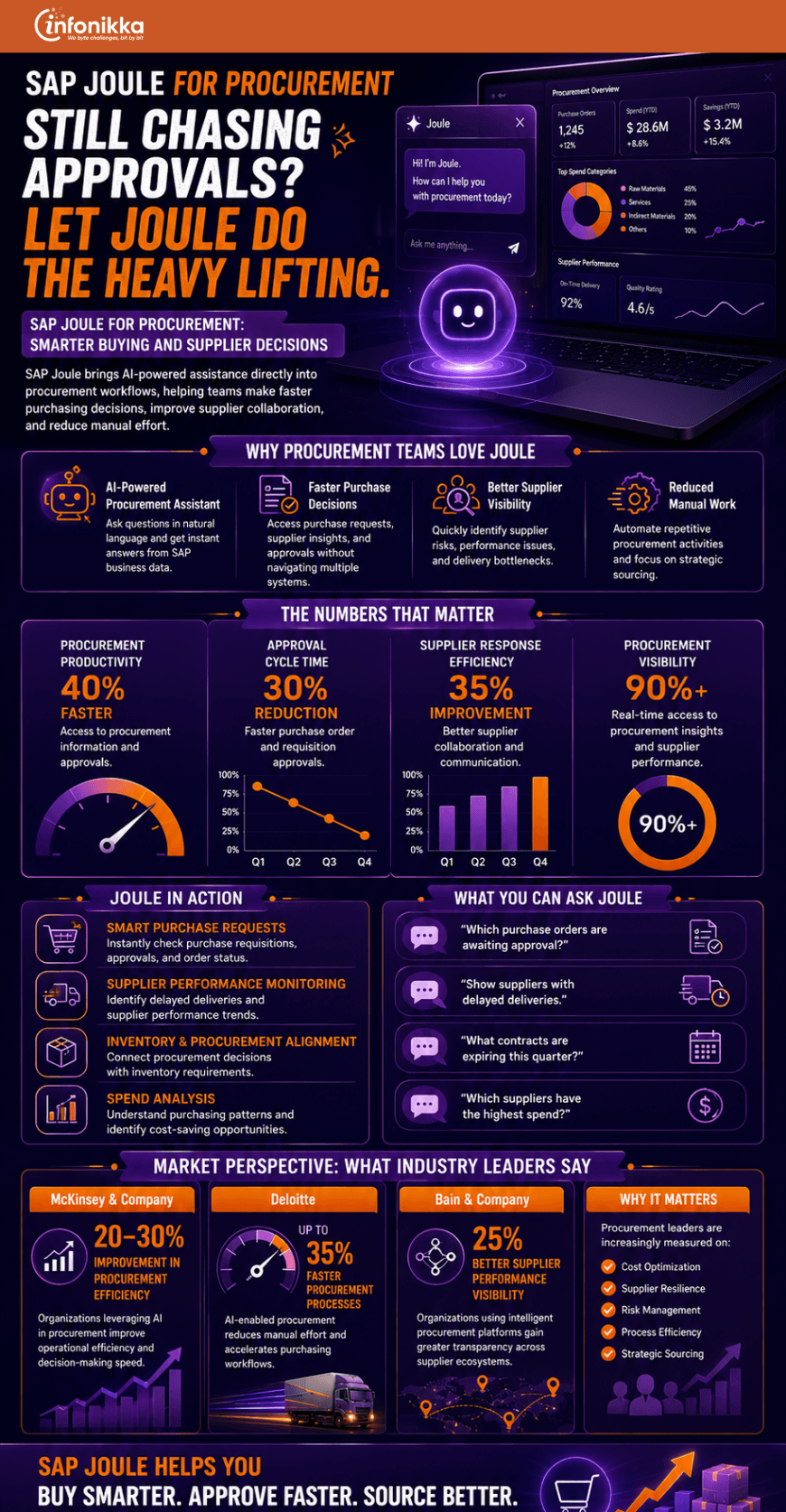
SAP Joule: Transforming User Productivity Across SAP Applications

For years, enterprise software has helped organizations manage complex business processes. However, one challenge has remained consistent: users often spend too much time searching for information, navigating multiple screens, generating reports, and completing repetitive tasks. SAP is addressing this challenge with Joule, its AI-powered copilot designed to make enterprise applications more intuitive, productive, and user-friendly. Instead of adapting to software, users can now interact with SAP systems using natural language. Whether it’s finance, procurement, human resources, supply chain management, or ERP operations, Joule is changing the way employees work across the SAP ecosystem.

What Is SAP Joule?

SAP Joule is an AI-powered digital assistant embedded within SAP applications. It allows users to ask questions, retrieve information, generate insights, and execute tasks through simple conversational interactions.

Rather than navigating multiple dashboards or running complex reports, employees can ask Joule questions such as:

  • What are the overdue invoices this month?
  • Which suppliers have delivery delays?
  • Show current inventory shortages.
  • Summarize employee turnover trends.
  • Identify purchase orders awaiting approval.

Joule then delivers relevant insights in seconds, helping users make informed decisions faster. The result is a more streamlined and efficient user experience across the enterprise.

How Joule Is Improving Productivity Across Business Functions

Finance

Finance teams can quickly access financial insights, monitor spending trends, review outstanding invoices, and generate summaries without manually searching through multiple reports.

Procurement

Procurement professionals can identify supplier risks, track purchasing activities, review contract performance, and streamline approval processes through conversational requests.

Human Resources

HR teams can access employee information, monitor workforce trends, answer common employee queries, and simplify administrative tasks.

Supply Chain

Supply chain professionals can monitor inventory levels, identify disruptions, analyze logistics performance, and respond more effectively to changing demand conditions.

ERP Operations

Business users across departments can access critical information faster, reducing the time spent navigating complex ERP interfaces and increasing overall productivity.

From Information Access to Intelligent Action

What makes Joule particularly exciting is that it goes beyond simply answering questions. The next phase of enterprise AI is about intelligent action. Imagine a supply chain manager asking Joule about delayed shipments. Instead of only identifying the issue, Joule could recommend alternative suppliers, estimate business impact, generate alerts, and initiate corrective workflows. Similarly, finance teams could receive proactive recommendations on cost-saving opportunities, while procurement teams could be alerted to potential compliance risks before they become business problems. This shift from information retrieval to intelligent business assistance is what sets Joule apart from traditional enterprise software tools. As AI capabilities continue to evolve, organizations will increasingly rely on intelligent assistants to support daily decision-making and operational efficiency.

Why Businesses Are Paying Attention

Organizations today face growing pressure to improve productivity while managing increasingly complex operations. Employees often spend valuable time searching for information rather than acting on it. By reducing manual effort and simplifying user interactions, SAP Joule helps organizations:

  • Improve employee productivity
  • Accelerate decision-making
  • Reduce operational inefficiencies
  • Enhance user adoption of SAP systems
  • Improve employee experience
  • Increase business agility

For many organizations, the value of AI lies not just in automation but in helping people work smarter and faster.

How Infonikka Can Help

At Infonikka, we help organizations maximize the value of their SAP investments through consulting, implementation, integration, optimization, and support services. Our SAP experts work closely with clients to identify opportunities where SAP Business AI and Joule can improve productivity, streamline workflows, and enhance user experiences across business functions. Whether you are implementing SAP S/4HANA, modernizing ERP operations, exploring AI-driven automation, or preparing for future SAP innovations, Infonikka can help create a practical roadmap that aligns technology with measurable business outcomes. The future of enterprise software is becoming more conversational, intelligent, and user-centric. SAP Joule represents a significant step in that journey, helping organizations unlock greater value from their people, processes, and technology investments.

To know more about our SAP Services, visit us at SAP Consulting Services | SAP Implementation Partner – Infonikka


Infographic: Supply Chain Chaos managed by SAP SCM

Modern supply chains face constant pressure from changing customer expectations, rising logistics costs, inventory challenges, and global disruptions. SAP Supply Chain Management (SAP SCM) helps organizations build resilient, connected, and data-driven supply chains that improve operational efficiency and business performance.

By integrating inventory management, logistics, demand planning, warehouse operations, and transportation processes into a unified platform, SAP SCM provides real-time visibility across the entire supply chain. Businesses can optimize inventory levels, improve fulfillment rates, reduce operational costs, and make faster, more informed decisions.

Explore this infographic to learn how SAP SCM helps organizations streamline operations, improve supply chain visibility, enhance forecasting accuracy, and create a more agile and responsive supply chain.

Conclusion

In today’s competitive market, supply chain excellence is a critical business differentiator. SAP SCM empowers organizations to improve visibility, optimize operations, reduce costs, and deliver exceptional customer experiences through intelligent, connected supply chain management.

To know more about our SAP Consulting, SAP SCM, SAP S/4HANA, SAP Transformation, and SAP Support Services, visit SAP Consulting Services | SAP Implementation Partner – Infonikka


SAP Predictive Analytics

Predictive Business Using SAP Analytics to Anticipate Market Trends Before They Happen

In today’s economy, reacting fast isn’t enough, the winners are the ones who see what’s coming and prepare before anyone else does. From shifting customer preferences to sudden supply chain disruptions, market changes no longer give you months to respond. They happen overnight.

This is where predictive business comes in and SAP Analytics is making it possible for companies to move from reactive firefighting to proactive market leadership.

From Rear-View to Windshield: Why Prediction Beats Reaction

Most organizations still rely on historical reports. They look back at last quarter’s sales, last year’s inventory, or last season’s demand. The problem? By the time you see the change, it’s already happened.

Imagine driving a car by only looking in the rear-view mirror. You’d miss the turn ahead, the speed bump, or the truck changing lanes. Predictive analytics is like having a clear windshield view, you’re not just seeing where you’ve been, you’re spotting what’s coming next.

How SAP Analytics Makes the Future Visible

SAP Analytics takes the guesswork out of decision-making by using advanced algorithms, machine learning, and real-time data to forecast future outcomes. But it’s not just about numbers on a dashboard, it’s about turning those insights into action.

Here’s how it works in practice:

  1. Real-Time Data Integration: Pulls live data from sales, supply chain, marketing, and even external sources like social media trends and economic indicators.
  2. Predictive Models: Uses AI and machine learning to identify hidden patterns that humans might overlook.
  3. Scenario Simulation: Lets you run “what-if” scenarios before making big moves — whether it’s launching a new product, adjusting pricing, or shifting production.
  4. Actionable Insights: Delivers recommendations right into your SAP applications so your teams can act quickly.

Real-World Example: Staying Ahead of the Curve

Take the example of a consumer electronics brand heading into the holiday season. Traditionally, they’d plan production based on last year’s numbers. But last year’s market doesn’t account for this year’s sudden surge in demand for eco-friendly gadgets.

With SAP Analytics, they’re not just seeing sales data, they’re pulling in global search trends, social chatter, competitor launches, and even raw material price changes. The system flags a likely 35% increase in demand for their solar-powered headphones. Production ramps up before the competition catches on, ensuring they dominate the shelves when the season hits.

The Payoff: Faster Decisions, Lower Risk, Higher Profits

Companies leveraging predictive capabilities in SAP Analytics are transforming the way they operate. Decision cycles that once dragged on for weeks are now completed in mere hours, enabling faster responses to emerging opportunities and threats. Inventory is managed with pinpoint accuracy, reducing costly overstock while preventing lost sales due to shortages. Perhaps most importantly, these businesses are securing a competitive edge by launching or adjusting offerings before competitors even notice a trend taking shape. In today’s fast-changing market, where disruption has become the norm, predictive business is no longer a strategic advantage, it’s a necessity for survival and growth.

Getting Started with Predictive SAP Analytics

  • Identify high-impact areas: Start with business functions were faster decisions matter most.
  • Ensure clean, connected data: Prediction is only as good as the data feeding it.
  • Invest in skills: Equip teams to interpret and act on predictive insights, not just view them.

The Future Belongs to the Proactive

Market leadership no longer comes from having the biggest budget, it comes from seeing the opportunity first. SAP Analytics doesn’t just help you understand your business; it helps you anticipate the market’s next move and position yourself to win.

Because in today’s business landscape, the future isn’t something you wait for, it’s something you predict, plan for, and shape.

Predict Tomorrow, Win Today with Infonikka

At Infonikka, we help businesses turn predictive insights into measurable results. Our SAP consulting experts integrate SAP Analytics seamlessly into your operations, ensuring you’re not just tracking the market, you’re leading it. From real-time data integration to advanced scenario modeling, we empower your teams to make confident, timely decisions that boost performance and profitability. Don’t just react to change, anticipate it, shape it, and own the advantage.

Ready to see what’s next for your business? Talk to our SAP experts today and start predicting tomorrow’s success, today.